Knowledge Base
Delete Menu
Posted 2026-01-08 14:50:20| Updated 2026-01-08 14:50:20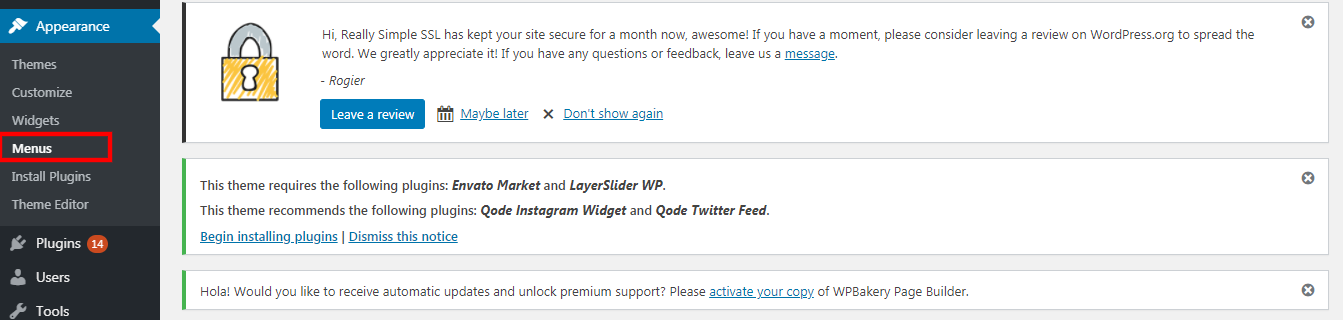
1. Go to "appearance" > "menus".
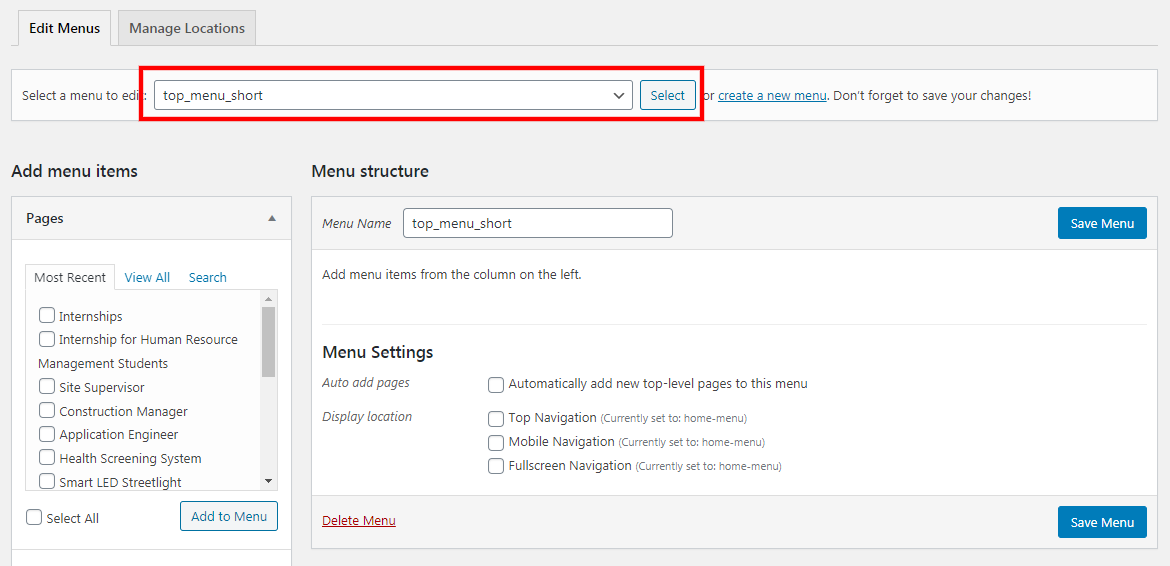
2. Select the menu that you wish to edit from the drop-down list.
3. Then, click the "select" button.
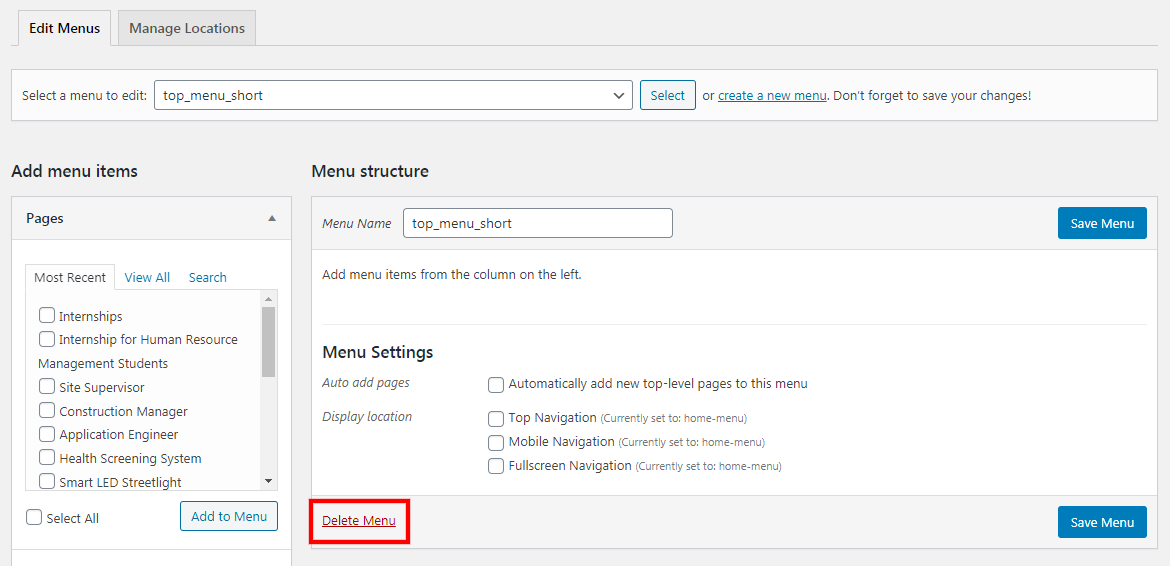
4. Click the "delete menu" to delete it.