Knowledge Base
Extract Sales By Order Status
Posted 2026-01-08 16:27:35| Updated 2026-01-08 16:27:35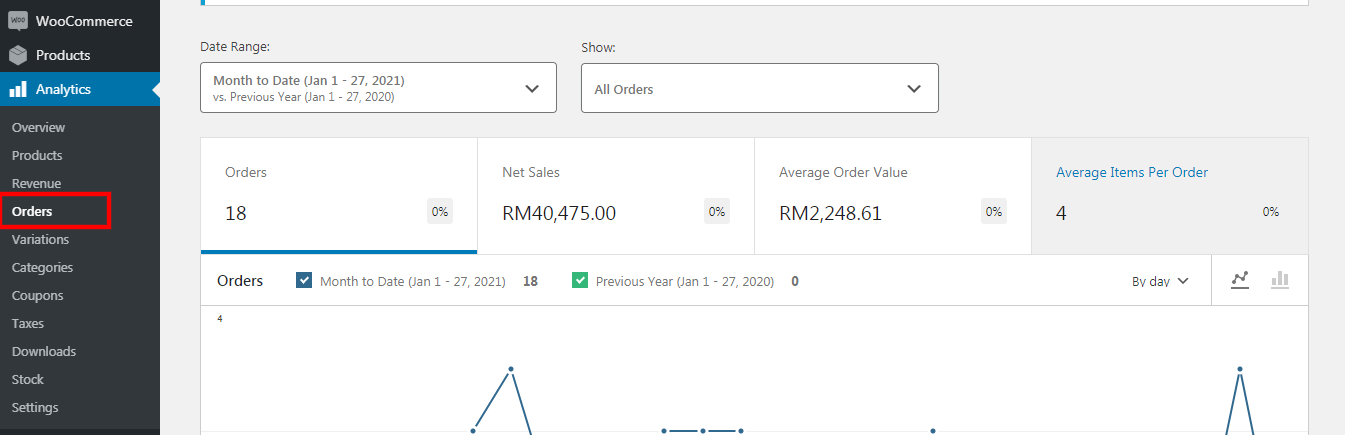
1. Go to "analytics" > "orders".
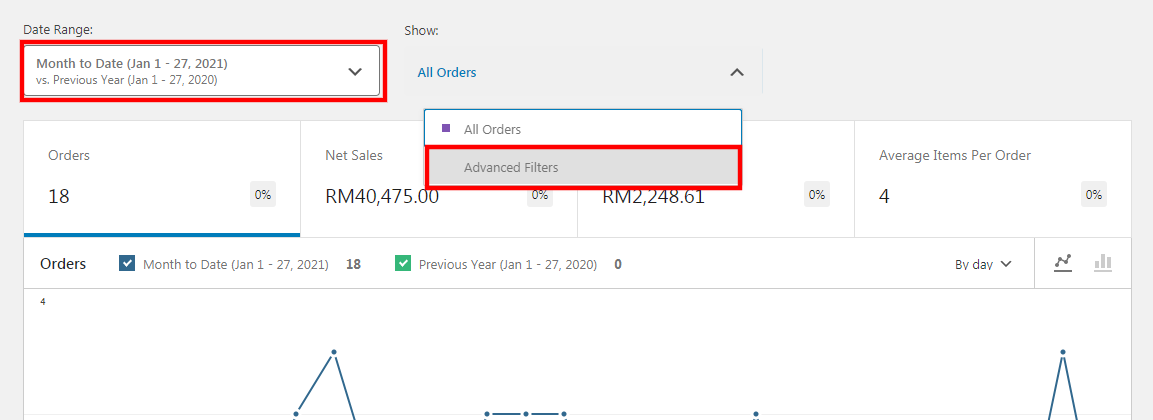
2. Filter the "date range" to a particular range.
3. Click on "advanced filters" under the show title.
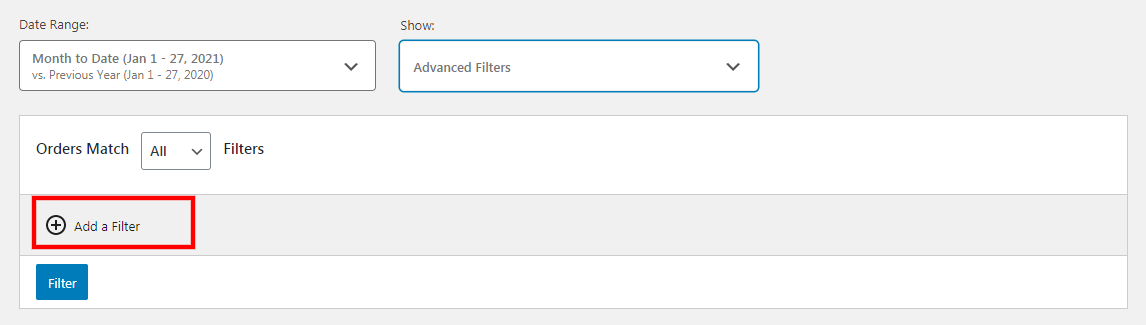
4. Click on the "add a filter".
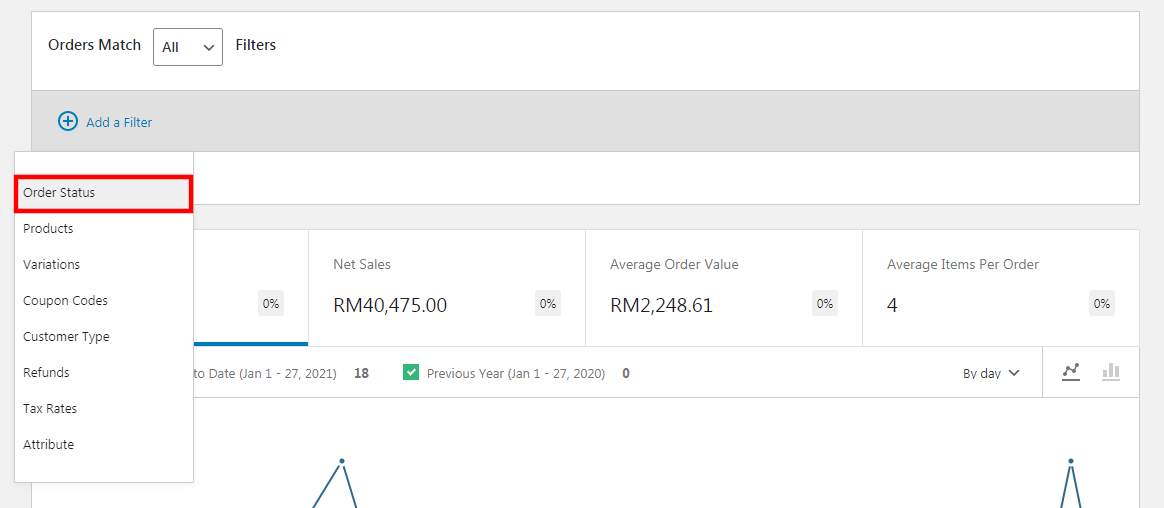
5. Click "order status".
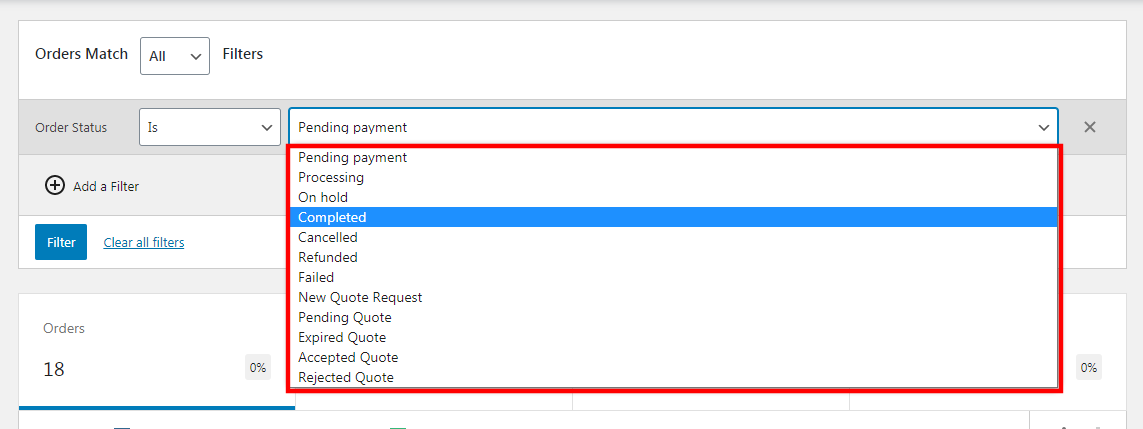
6. Select your desired status, e.g. choose "completed" status.
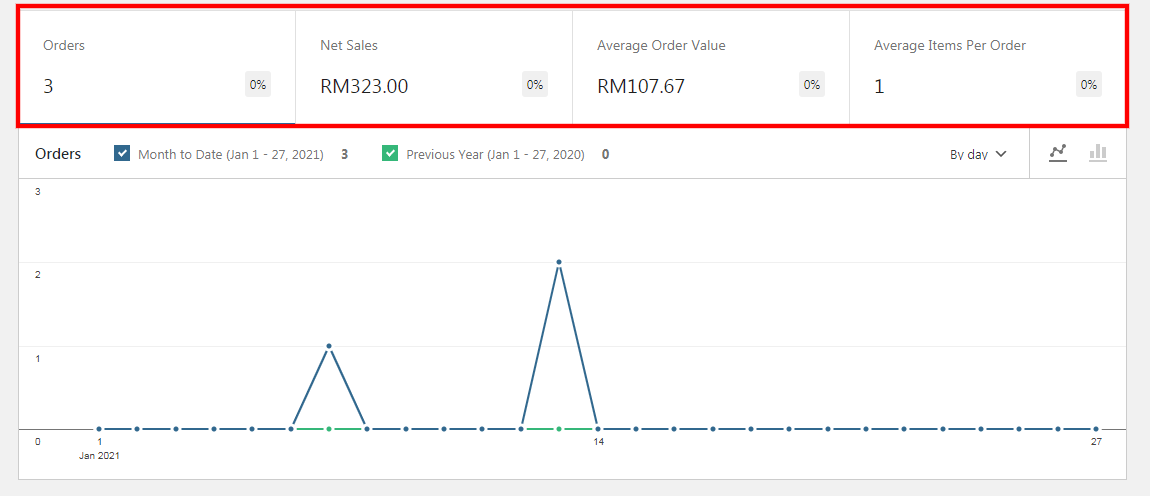
7. System will filter out the list of "completed" status on the specific date range