Knowledge Base
Manage Email Notification (For Orders / Request for Quote)
Posted 2026-01-08 16:32:06| Updated 2026-01-08 16:32:06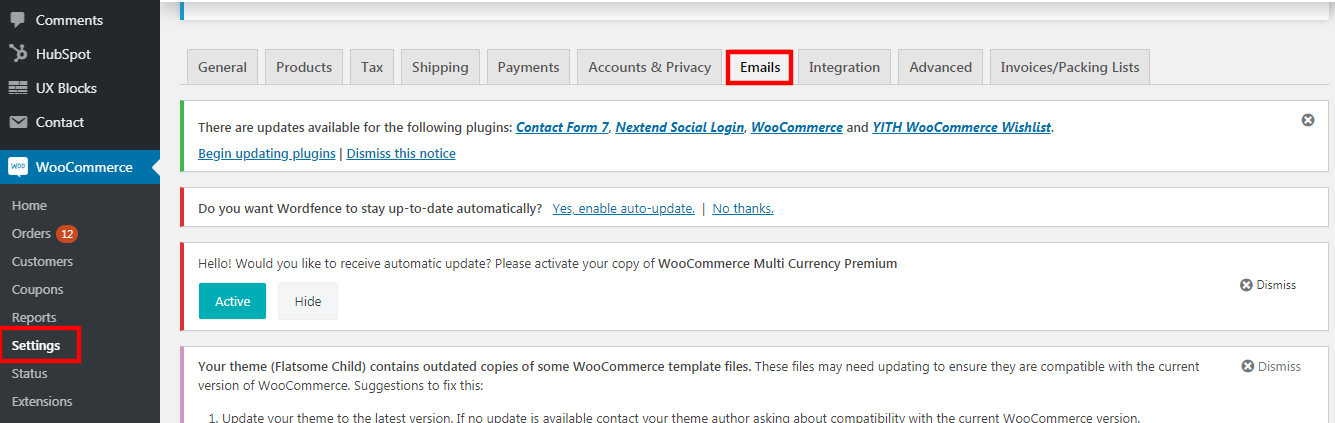
1. Go to WooCommerce > Settings > Emails.
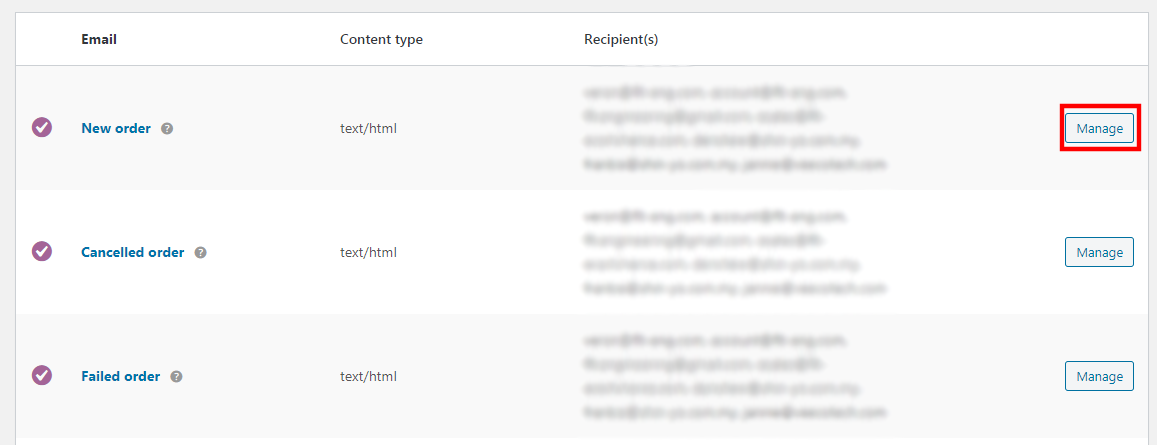
2. Click on the "manage" button.
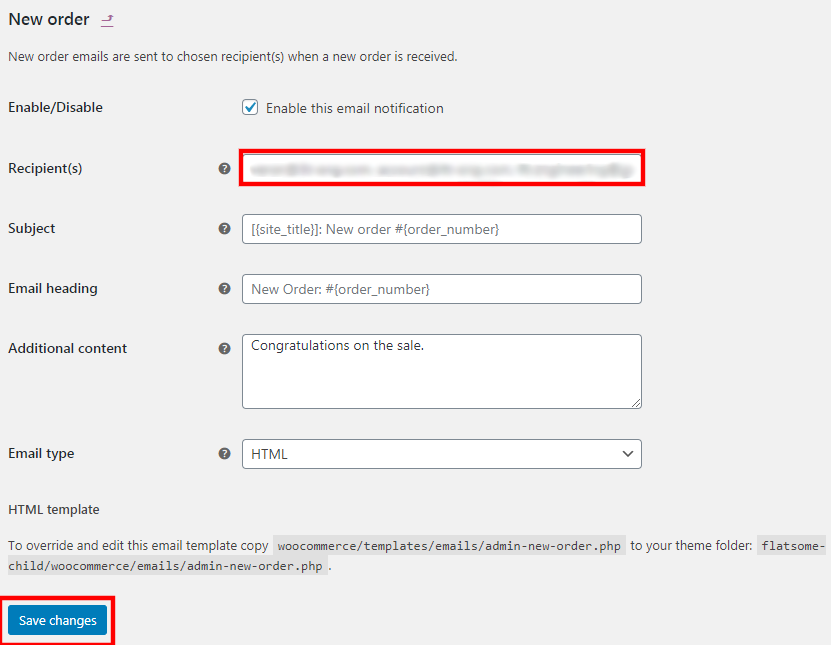
3. Add the recipient email here, use comma (,) as the separator for multiple emails. For e.g. email1@gmail.com, email2@gmail.com, email3@gmail.com
4. Click "save changes" once done.
5. Repeat the same steps for others, e.g. cancelled order email notification, failed order notification and etc.