Knowledge Base
How to view email header in Horde Webmail and Roundcube Webmail
Posted 2026-01-08 13:35:23| Updated 2026-01-08 13:35:23Email header in Horde Webmail
1) Log in to Webmail. (example.com/webmail)
2) Select on Horde in Webmail.
3) Double click on the email that you wish to view the header.
4) Then click on "View Source" on the top right pane.
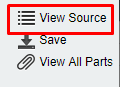
5) The complete headers are then displayed in a new window.
Email header in Roundcube Webmail
1) Log in to Webmail (example.com/webmail)
2) Select on Roundcube in Webmail.
3) Click on the email that you wish to view the header.
4) Click on the option "More" and " Show Source"
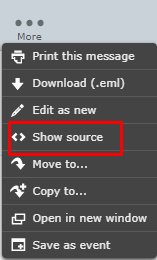
5) The complete headers are then displayed in a new window.