Knowledge Base
Update Header Announcement
Posted 2026-01-08 15:47:10| Updated 2026-01-08 15:47:10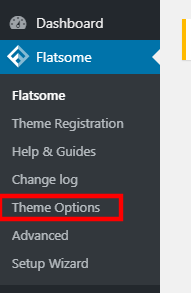
1. Go to Flatsome > Theme Options.
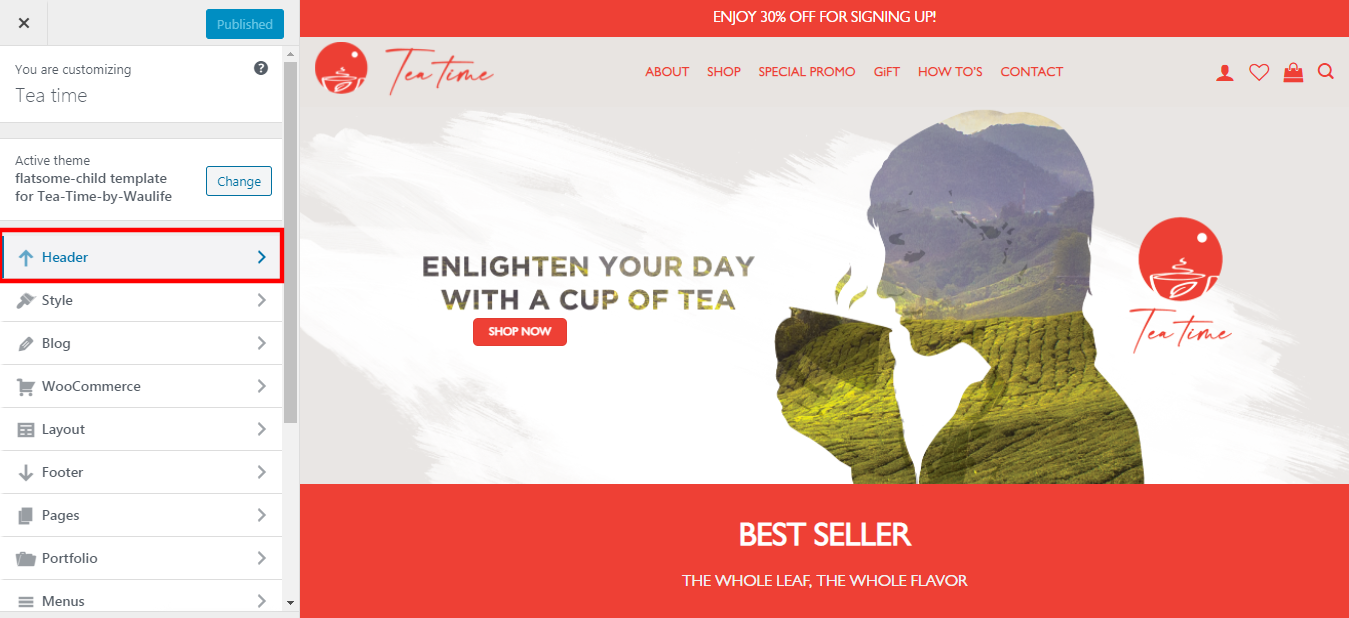
2. Click on the "Header".
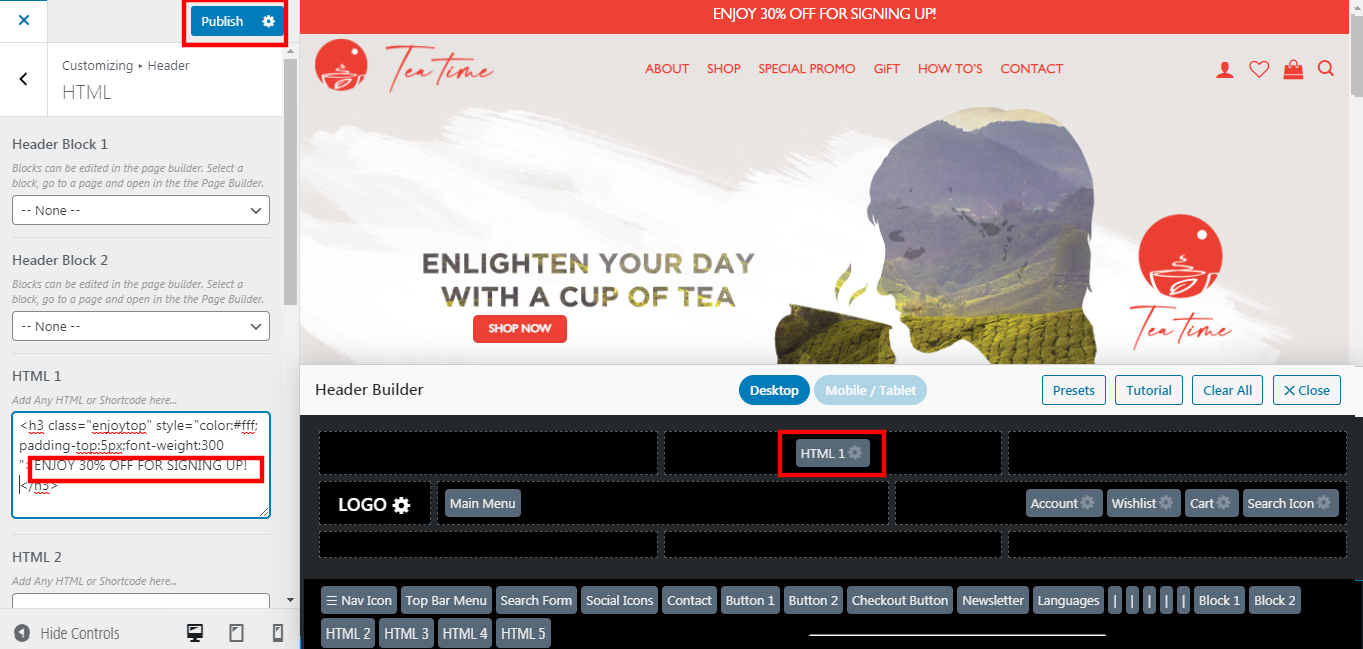
3. Click "HTML 1".
4. Edit the text on the left side.
5. Click "Publish" once done.
1. Go to Flatsome > Theme Options.
2. Click on the "Header".
3. Click "HTML 1".
4. Edit the text on the left side.
5. Click "Publish" once done.