Knowledge Base
Update Text
Posted 2026-01-08 15:42:09| Updated 2026-01-08 15:42:09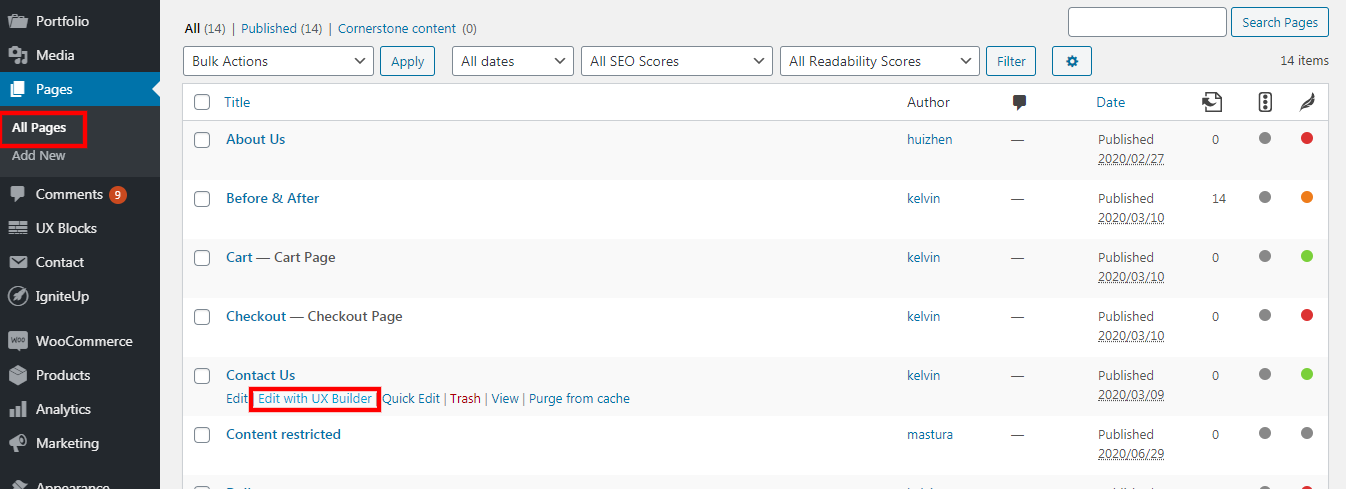
1. Go to Pages > All Pages.
2. Click "edit with UX Builder" on the page that you wish to update.
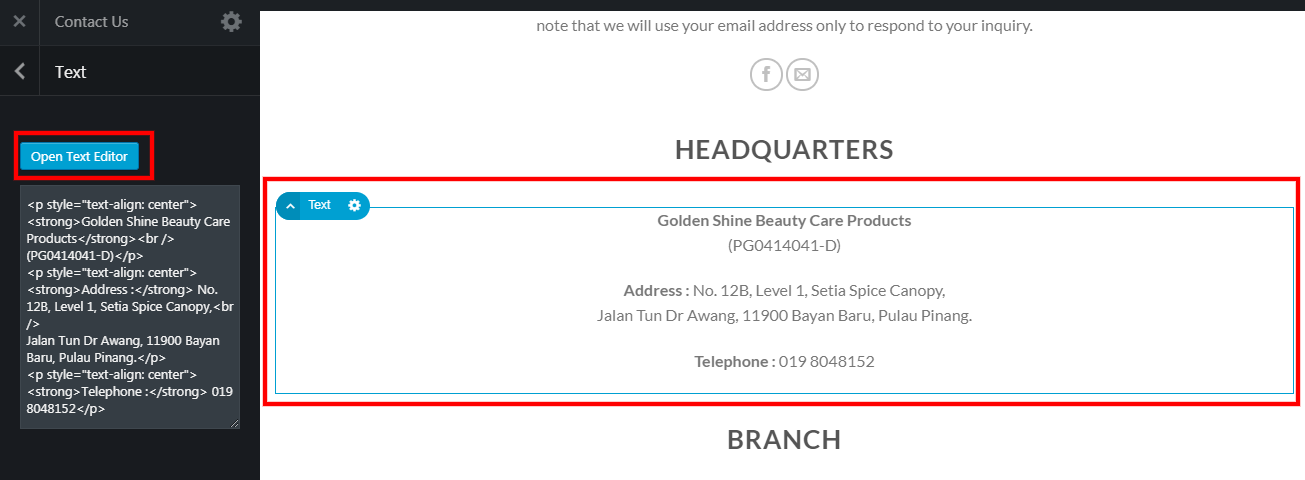
3. Click on the section that you wish to update.
4. Click on "open text editor" button.
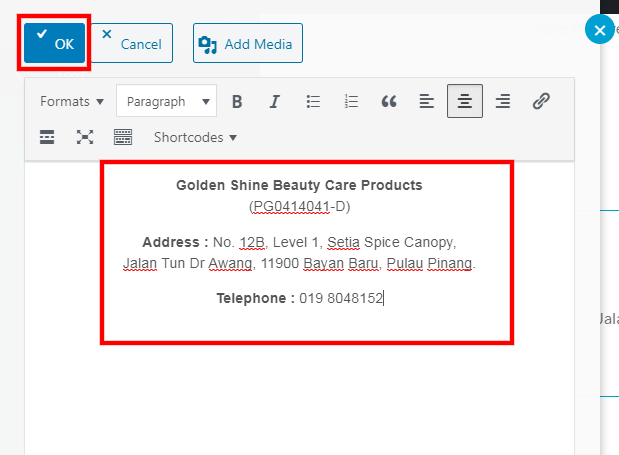
5. Edit your text.
6. Click "ok" once done.
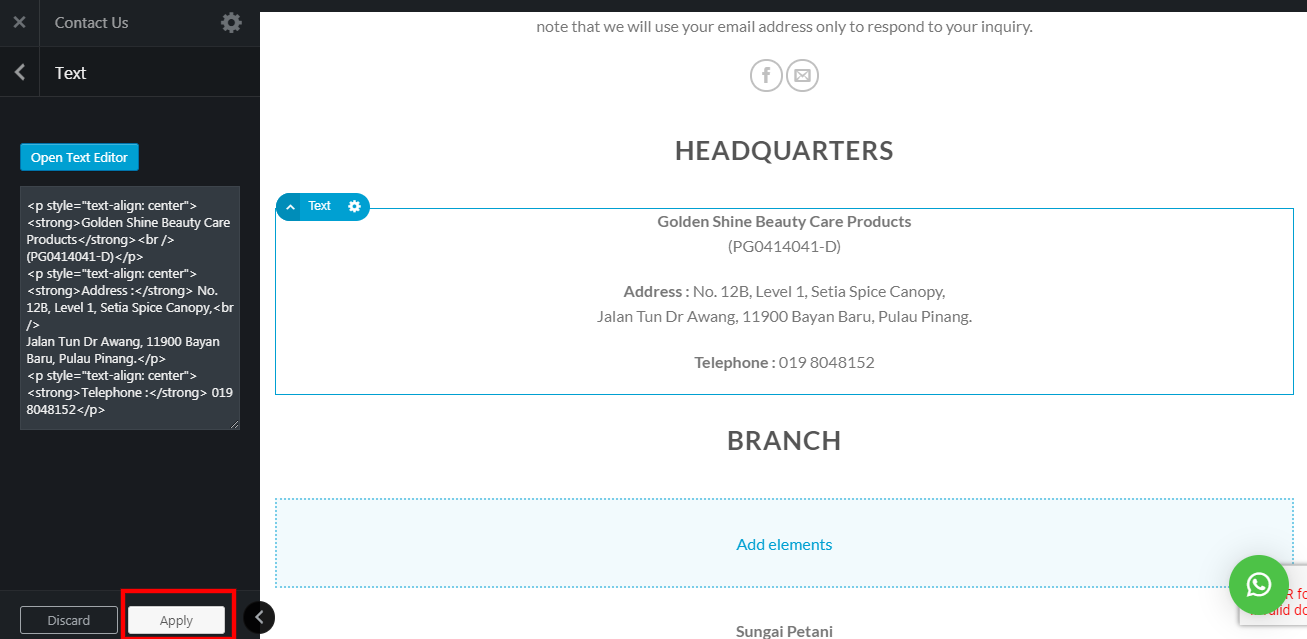
7. Click "Apply".
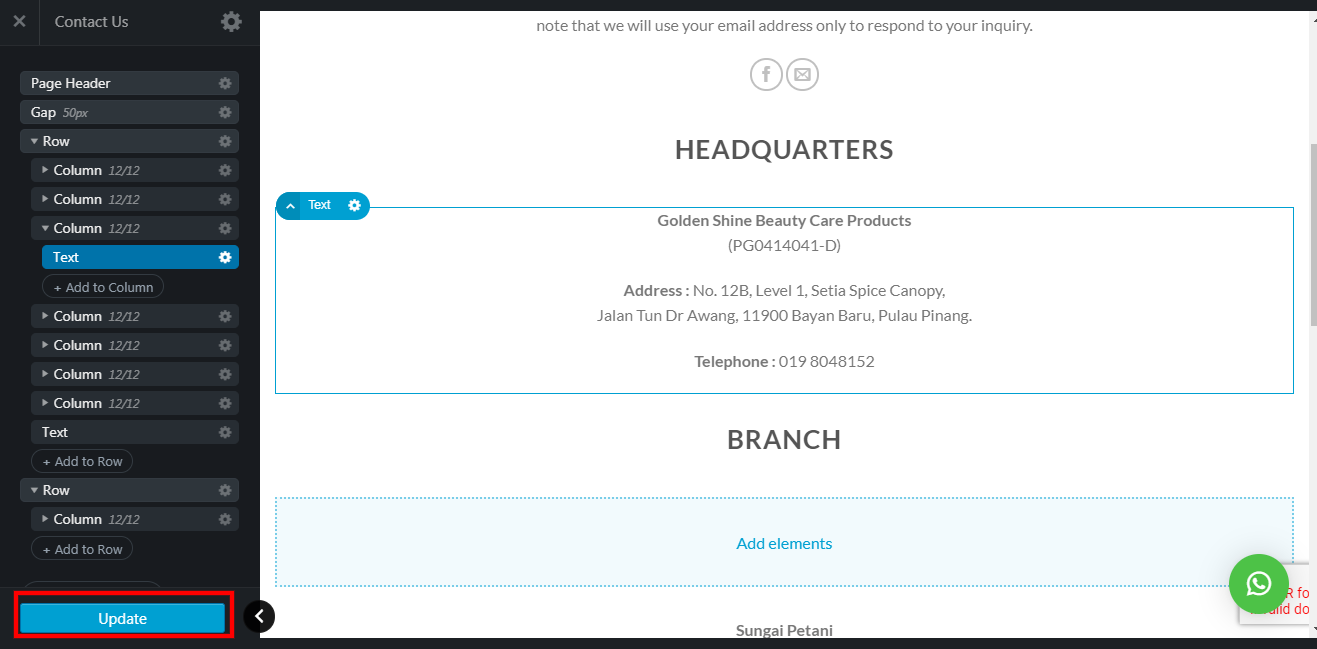
8. Click "update" to save all the changes.