Knowledge Base
Update Home Page Slider (Flatsome Theme)
Posted 2026-01-08 15:41:18| Updated 2026-01-08 15:41:18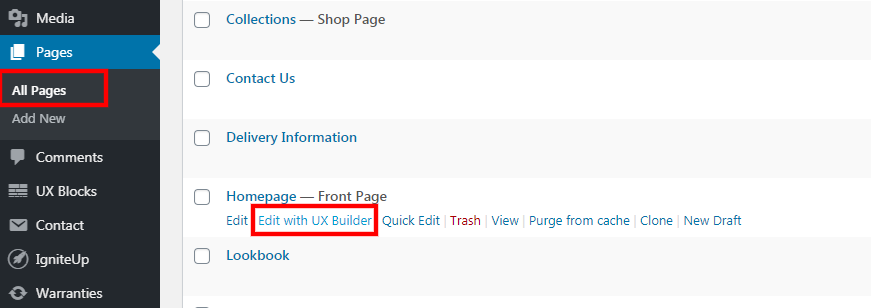
- Go to Pages > All pages.
- Click "Edit with UX Builder" under Homepage.
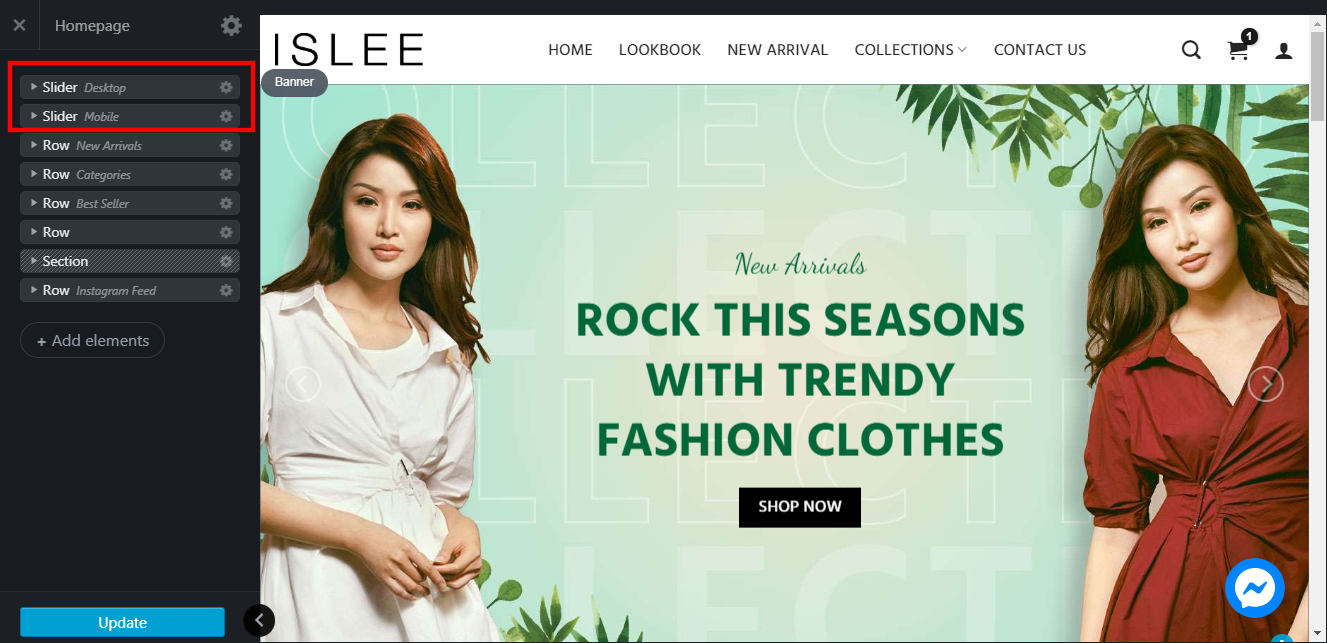
- Click on "Slider".
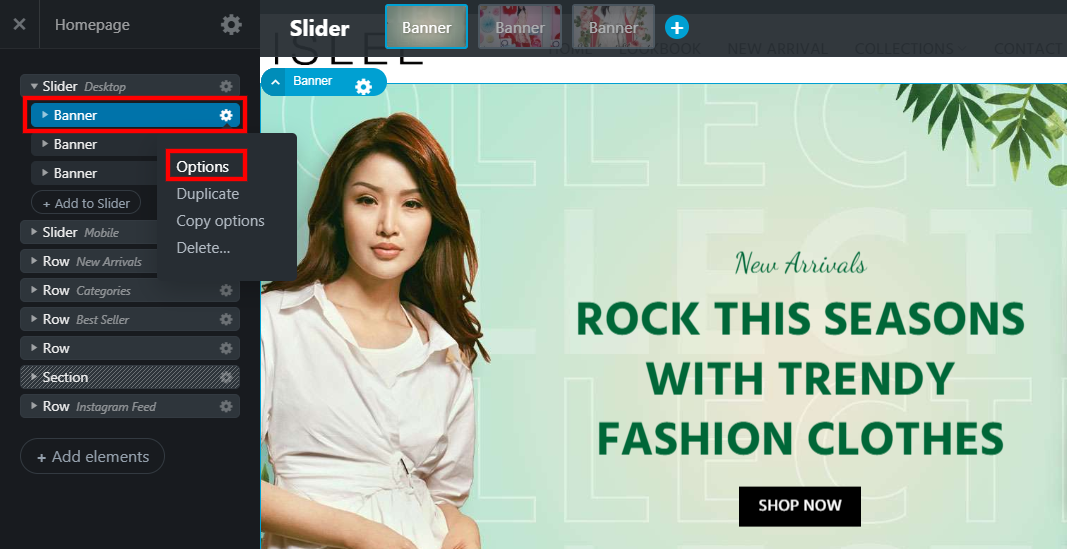
- Right-click on the setting icon of Banner title > click "Options".
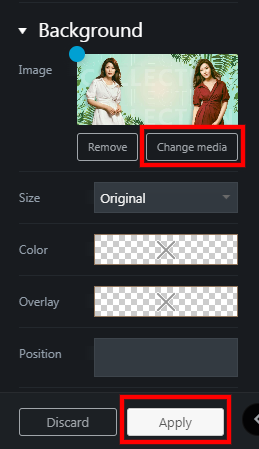
- Click on "Change Media" and replace it with your latest image.
- Click "Apply" once done.
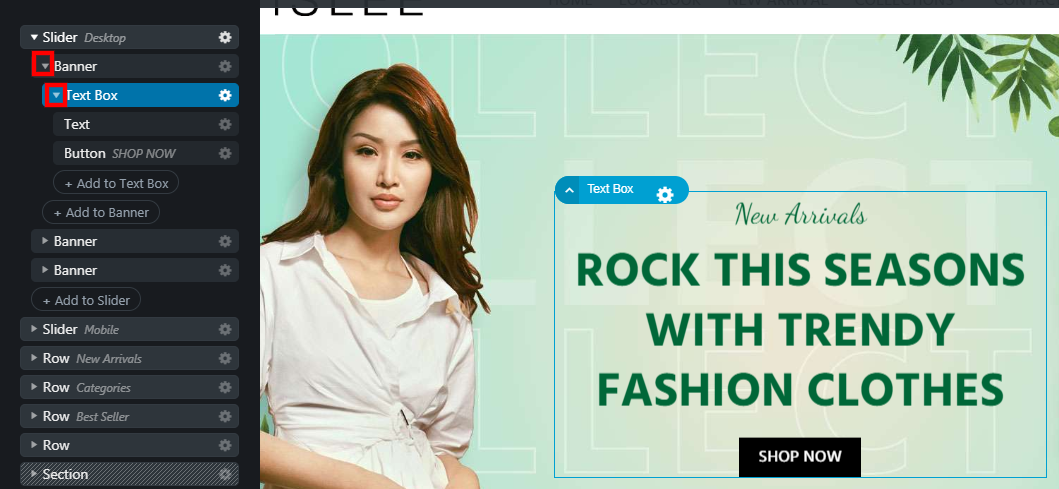
- Click on the arrow down to check other detail attached to the banner.
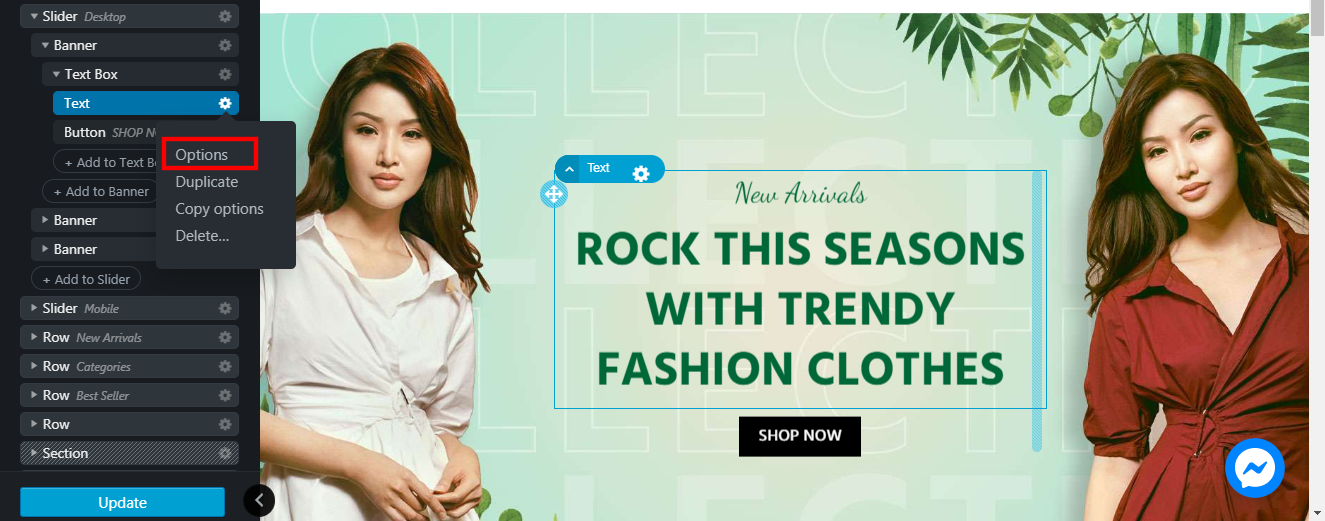
- Click on "Options" to change the text.

- Click on "Delete" if it is not applicable anymore.

- Click "Update" to save your changes and published the latest content to the front-end.